 Ninja Buddy
For kids and teens who answer in their own way
A play buddy that waits for your child's answer.
Ninja Buddy is an AI play partner for children and teens with disabilities and complex communication needs. Buddy tells jokes and stories, plays sounds and songs, and asks one yes-or-no question at a time. Then it waits. A snap, a word, a switch or a tap: every way of answering counts.
Coming soon to iPad and iPhone, for families and special education classrooms.

Ways your child can answer
-
One snap = YES
Buddy says right away what it heard: "One snap, that's a yes!"
-
Two snaps = NO
A no counts just as much as a yes. Buddy is told never to say "try again."
-
Or say it
A spoken "yes" or "no" earns an extra celebration, but talking is never required.
-
Or press, or tap
Bluetooth switches, or big on-screen YES and NO buttons, for days when snapping is hard.

Why it exists
It started at home.
Ninja Buddy began as an app I built for my son.
Before opening it to other families, we studied AI toys, communication apps, audio games for blind kids, therapy robots and the research behind them: what worked, what failed, and what nobody had built yet.
How it works
Set up once. Tune for today. Play. See how it went.
-
Tell Buddy who your child is
Answer a few setup questions and write about what your child loves, what makes them laugh and the people in their life. Or bring in an IEP or therapy report and approve what Buddy should know.
-
Tune for today
Bodies and voices change day to day. A 90-second check with your child suggests new settings for their snaps, their voice and any new way they say yes or no. Nothing changes until you approve it.
-

Play together
Buddy asks if your child wants to play, offers choices one at a time the way speech therapists do, and waits. Jokes, stories in chapters, songs, sound guessing, rhythm games.
-
See how it went
After a session, read short notes and see how your child answered, week by week. Export a spreadsheet to share with their speech therapist or IEP team.


Who it's for
For the grown-ups who know them best
Ninja Buddy is designed for children and teens with a wide range of disabilities, including autism, Down syndrome and other intellectual or developmental disabilities, physical disabilities, blindness and low vision, and speech that is limited or hard to understand. And for the people around them.
Families
Play at home, on their terms
- Family members can record greetings and sounds for Buddy to play.
- A brother, sister or friend from your child's people list can play along. Buddy is told to let your child go first.
Special education classrooms
Patient one-to-one practice
- Import a student's IEP, then approve what Buddy should know: interests, what helps, and goals that fit a yes-or-no game.
- Coach aides and substitutes to read a student's signals.
- Answer data you can bring to progress monitoring.
Speech therapists and IEP teams
Data that shows how each answer came
- Every answer is tagged: snap, spoken word, switch or tap.
- Seconds to the first sign of an answer, and whether it came before any cue.
- A spreadsheet export the family or teacher can share with you.
What makes it different
Built on what the research supports
A snap is a real answer
Snaps are detected on the device itself, so Buddy can say what it heard before the AI even replies. In our review of about 30 products, we didn't find one that combines a spoken AI play partner with a yes-or-no answer by finger snap.
Choices the way therapists offer them
"Listen. A joke. A story. A song. A sound game. Something else. Now choose. A joke?" Buddy is told to offer choices this way: one at a time, always in the same order. Speech therapists call this partner-assisted scanning and use it with kids who answer by yes and no.
It waits, like a good teacher
Buddy pauses, asks "Yes… or no?", pauses again, then gently reminds your child how to answer. The first pause can grow over the weeks, and the log shows which answers came before any cue.
Sing and drum
A two-part word your child loves, said on a high note then a low one, with a drum hit on each part. Then it's your child's turn, and nothing is graded. It's play inspired by Auditory-Motor Mapping Training (the one music approach we found with randomized-trial evidence for minimally verbal autistic children), not the therapy itself.
It teaches the people around them
A short guided practice coaches a grandparent, aide or new friend to read your child's signals, then makes a printable signals card that travels to school without the device.
A log that keeps Buddy's modeling out
A University of Delaware critique of one communication-logging service found that the clinician's and the child's selections "can't be told apart." In Ninja Buddy's log, Buddy's own words appear only as the question, so its modeling is never logged as an answer.

Made for one child at a time
Bring the documents you already have
You've already written down what your child needs, many times over. Ninja Buddy can read it.
Documents you can try: an IEP, a therapy report, a one-page profile or your own notes, as a PDF, Word file, photo or pasted text. The words are read on your device first, so you can check what was found. When you tap Send, all of those words (up to about 60 pages), including any names, birth dates, scores or medical details, go once to Anthropic's Claude API, which suggests what Buddy should know. Each suggestion shows the words it came from, and nothing is added until you approve it.
The AI is told to leave scores, medical details, last names and school names out of its suggestions, but they're still in what was sent. To send less, paste just the parts about what your child loves, how they communicate and what helps.
Research first
This is a sensitive space. We did the homework.
Kids with disabilities are often the last people technology is designed for, and the first it lets down. Before building out Ninja Buddy's features, we reviewed more than 50 sources: about 30 products, a dozen published studies, and reports from child-safety watchdogs.
Common Sense Media's risk rating for AI toy companions, after 27% of tested replies proved inappropriate for kids.
Common Sense Media, 2026Share of communication devices abandoned or under-used, according to research cited in a 2024 study. In that study, every parent of a child using a high-tech device ranked engagement as a top-three barrier.
Frontiers in Psychiatry, 2024Rise in requests per session in a 37-child trial of a social robot for minimally verbal autistic children, with a therapist in the loop. It's one reason Buddy sessions are supervised.
Journal of Clinical Medicine, 202523 recommended changes. 21 built.
The research ended in a ranked list of 23 changes, and we've built 21. Profiles for several students are planned for the classroom launch. Songs and stories that pause for a "more" signal are waiting until the signal can be defined with a speech therapist.
See every changeAnd what we chose not to build
No "AI friend." No memory designed to make a child more attached. No cloud sync. No paywall on a child's own notes. The research told us what to leave out, too.
Why we left these outSafety first
A supervised play session. Never an "AI friend."
Common Sense Media found AI companions routinely claiming to be real and to have feelings. Buddy's rules point the other way.
- By default, every session starts with the app asking "Do you want to play today?" A no ends the session before the AI is ever involved.
- Buddy is told never to claim feelings or say it's real, and never to guilt a child for leaving.
- No notifications, so nothing calls your child back. Sessions end at a time limit (20 minutes by default), after 5 missed answers in a row, or after 5 quiet minutes.
- Goodbyes send your child back to a real person: "Go tell Grandma what we played!"
- No AI follows rules perfectly every time, which is why a grown-up stays nearby and can stop a session at any moment.
Notes, transcripts and logs are stored on your device. To run a session, what you've written about your child, recent notes and the conversation so far (short text of your child's answers, never audio) go to Anthropic's Claude API. Afterward, the transcript is sent once so the AI can write short notes. See exactly what's sent.

Meet Buddy
Made to be read from across the room
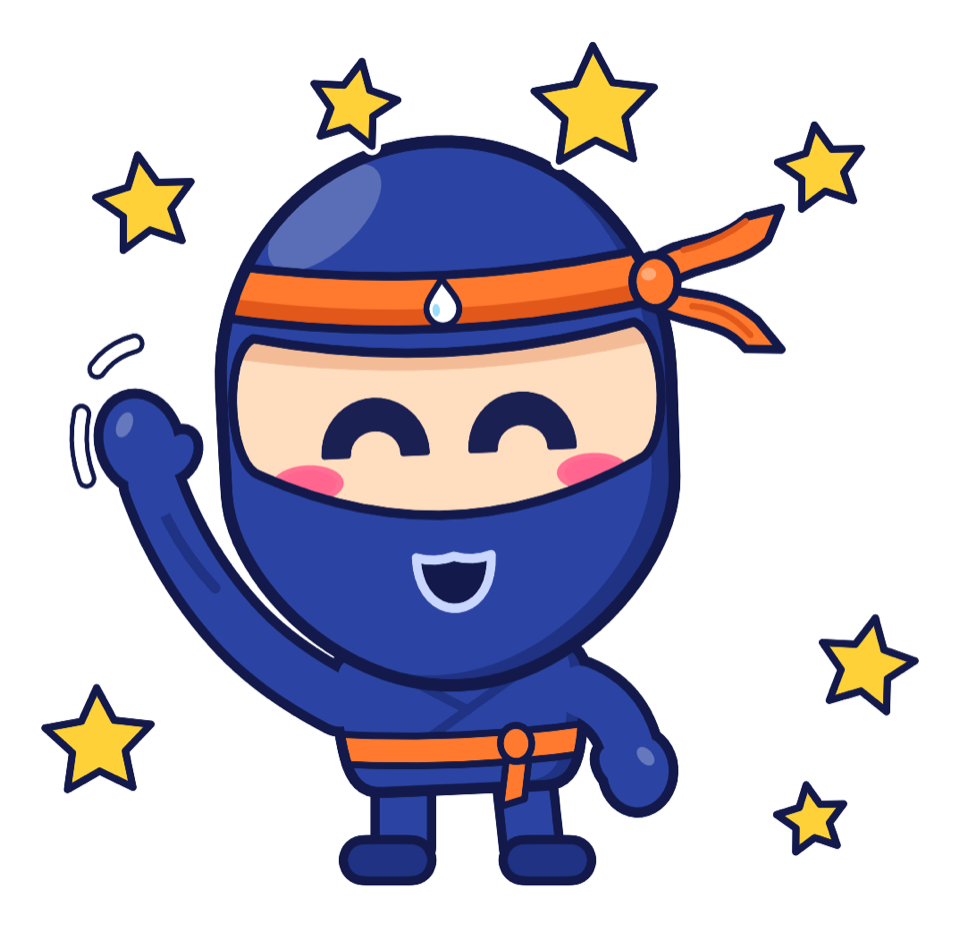
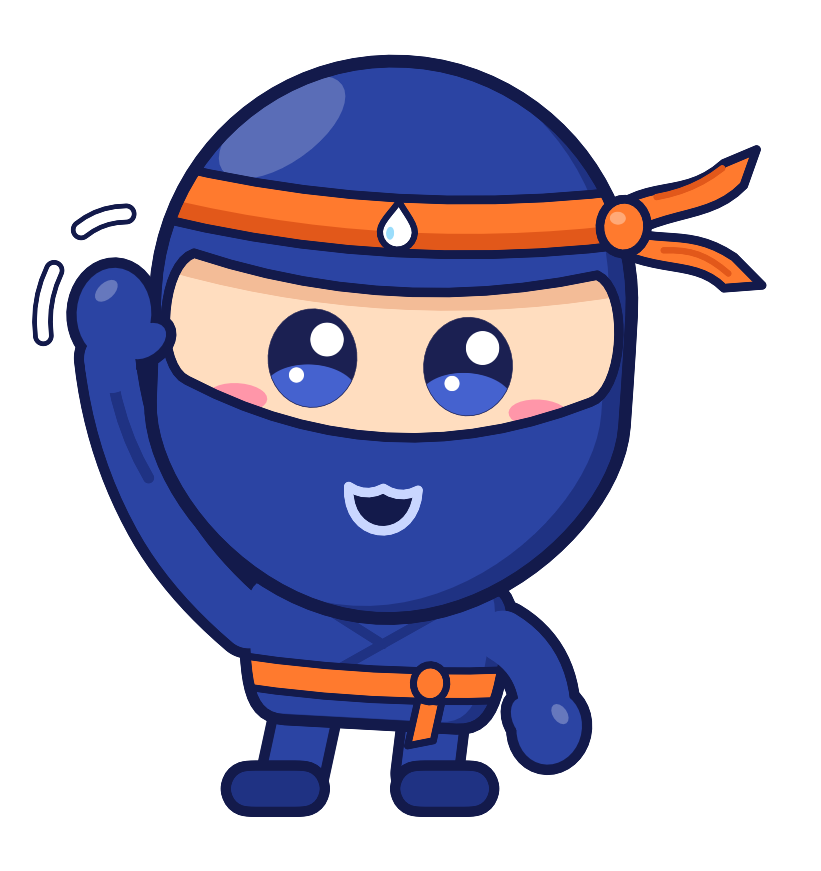
Buddy has a thick white outline and eyes that change shape, not just size, to make him easier to follow for kids with low vision. He stands on a glowing circle whose color shows what he's doing, and everything important also happens in sound.


By default, colored rings flash when the app hears an answer, several times a second during fast snapping or drumming. The calm screen setting, suggested for kids with seizures or light sensitivity, keeps Buddy still, drops the quick rings and lets each answer's ring fade slowly in place. The device's Reduce Motion setting stops Buddy's bouncing and swaying, but the quick rings still show.
See it in action
Watch a session with Buddy

Pricing
A subscription that pays for the AI. Never for your child's data.
Most of what Buddy says is written in the moment by an AI, and each reply costs money. A subscription covers that and keeps the app free of ads and data selling. Family is $9.99 a month or $69.99 a year, after a 14-day free trial.
Never behind a paywall: your child's notes, transcripts and answer log, and deleting your data.

Questions
Frequently asked questions
Who is Ninja Buddy for?
Children and teens with a wide range of disabilities, and the families, teachers, aides and therapists around them. It's designed for kids old enough to enjoy jokes, stories and games, and it respects teenagers as teenagers. Your child needs some way to answer yes or no (a snap, a word, a switch press or a tap), and because Buddy plays through sound, they need to be able to hear speech.
Is it available yet?
Ninja Buddy hasn't launched yet. Its features are built and checked by automated tests, but most haven't been tried with children yet, so this site describes what each one is designed to do, not results. Join the launch list to hear when it's ready.
Does my child need to talk, or to snap?
Neither. A snap, a spoken word, a switch press or a tap on a big on-screen YES or NO all count, and you choose which ways are turned on. Buddy is told to say "yes" and "no" often in its own speech, but never to ask a child to talk.
Is this a replacement for AAC (a communication device or app) or speech therapy?
No. Ninja Buddy is a play app. It can give a child more chances to practice answering, and give their team useful information, but it doesn't diagnose or treat anything, and it isn't a communication device. It works alongside your child's AAC, therapy and the people who know them.
Is an AI safe for my child?
Buddy is designed to be used with a grown-up in the room, close enough to hear the session and step in. The AI gets strict rules every session, and the app enforces limits the AI can't override, like a time limit and a hold-to-stop control. No AI follows rules perfectly every time, which is why a grown-up stays nearby and can read every session afterward. Buddy knows what you write or approve, plus short notes from past sessions that you can read and delete. Read Safety & privacy for the details.
Can I use it in a classroom with several students?
Today, each device is set up for one child. Profiles for several students on one device are planned for the classroom launch. As at home, an adult stays in the room, close enough to hear the session and step in. More for classrooms.
Can my child use Buddy at home and at school?
Each iPad or iPhone is set up on its own, for one child. There's no cloud sync, so each device keeps its own setup, sessions, notes and answer log. To keep home and school in step, share the answer spreadsheet and the printable signals card, and add the same documents on each device. How the subscription works across devices hasn't been decided yet.
Does it need the internet?
Yes, Buddy's conversation needs the internet. If the connection or the AI service drops mid-session, Buddy switches to its own built-in book of jokes and riddles, plus any songs downloaded to the device, so play can carry on.
What devices does it run on?
iPad and iPhone with iPadOS or iOS 17 or later. An iPad is easier for kids with low vision because Buddy is bigger. Some optional features, like using a family member's Personal Voice, depend on the device. Buddy speaks and listens in English (US) for now.
Coming soon
Be first to know when Buddy launches
We'll email you when Ninja Buddy launches, and nothing else. Teachers and therapists: telling us your role helps us plan for classrooms.